Geofencing Explained: How Virtual Boundaries Protect Your Assets
The global asset tracking market is projected to grow from USD 32.45 billion in 2026 to USD 106.19 billion by 2035, and geofencing sits at the centre of almost every asset protection strategy in that market. It is one of the most practical things GPS tracking does: instead of someone watching a map all day, a boundary does the watching for them. Meanwhile, the global location-based services market is set to grow from USD 33.03 billion in 2025 to USD 51.24 billion by 2030, driven in large part by the expanding use of automated, boundary-triggered rules exactly like geofencing.
The concept is straightforward. Draw a shape on a map, attach a rule to it, and let the system act whenever something crosses the line. Equipment leaves a worksite without authorization and a manager gets a text within seconds. A delivery vehicle arrives at a customer location and a timestamp logs automatically. A company car drives into a restricted zone after hours and a supervisor is notified immediately. The technology does none of this on its own; it only becomes useful when someone understands how to configure it.
The Real Challenges Geofencing Solves
Monitoring a fleet or equipment spread across multiple locations is not something a person watches continuously. Screens go unwatched, shift changes create gaps, and by the time someone notices a missing asset, it has been gone for hours. Theft recovery rates drop sharply the longer detection takes.
Manual check-ins create paperwork without accountability. A driver self-reporting an arrival time is easy to fudge. A geofence timestamp is not. For compliance and liability, the difference matters.
Setting boundaries that are too tight also causes alert fatigue. A geofence radius of 10 metres around a building will fire constantly if GPS drift nudges a parked tracker in and out of the boundary all day. Getting the setup right requires understanding what the technology actually does under the hood.
How a Geofence Is Built
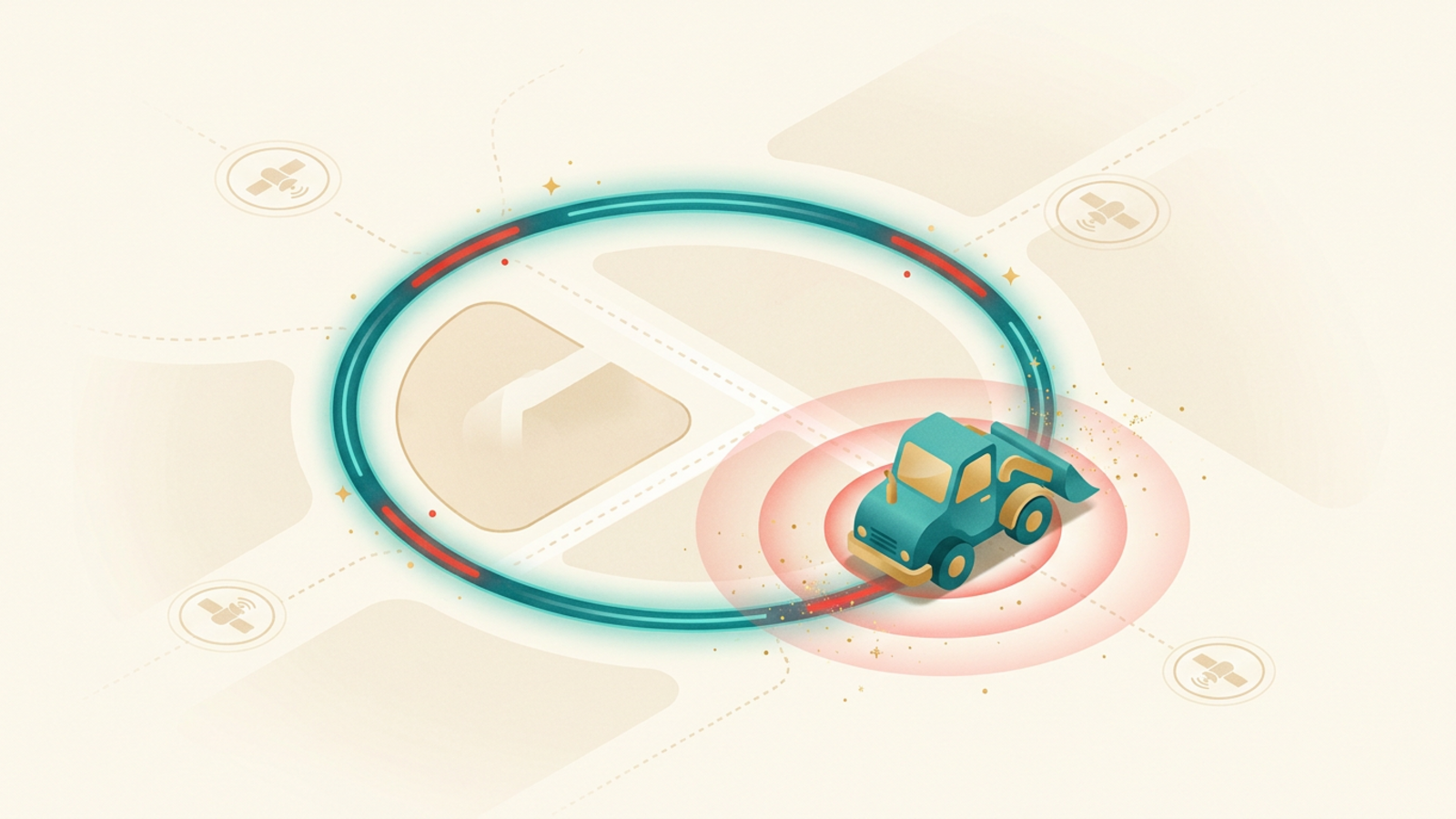
Every geofence starts as a shape stored in a database. Most platforms support three types: a circle (defined by a centre point and a radius), a polygon (custom-drawn corners connected by straight lines), and a corridor (a path with a buffer on each side, useful for approved delivery routes).
You draw the shape on a map interface. The platform stores the coordinates. Then you attach a rule: alert on entry, alert on exit, alert on both, or trigger an automated action such as locking a device, logging a time record, or notifying a dispatcher.
One geofence can hold multiple rules. A construction company might set an entry alert so site managers know when a subcontractor arrives, an exit alert so they know when equipment leaves after hours, and a time-window rule that only fires the exit alert outside normal working hours.
The Technology Behind the Trigger
Understanding how GPS works makes geofencing easier to configure well. A GPS receiver on the tracked asset calculates its position from satellite signals and reports that position to a server. The server stores the geofence shapes and runs a containment check each time a new coordinate arrives.
The check is a geometric calculation: is this point inside or outside the polygon? If the previous check said inside and this check says outside, a boundary crossing has occurred. The server fires the rule.
The frequency of position updates controls how quickly the system detects a crossing. A tracker reporting every 30 seconds gives a 30-second detection window. A tracker reporting every 5 minutes may not catch a brief incursion at all. High-frequency reporting gives tighter detection but draws more battery and data.
Some platforms use the device itself to run the geofence check rather than the server. The device knows its own position and fires an alert the moment it crosses the boundary. This reduces server load and can be faster, but requires more processing power on the device.
GPS Accuracy and Geofence Radius
GPS accuracy in open sky runs to roughly 3 to 5 metres for modern civilian receivers. That sounds precise, but a tracker sitting still on a loading dock will drift a few metres in any direction over time as satellite geometry shifts. Set a geofence boundary at exactly the building edge and that drift will trigger constant false exits.
The practical rule: add a buffer. If the physical boundary of a yard is 50 metres across, set the geofence radius at 60 to 70 metres. The alerts will be accurate enough for real-world decisions without firing every time the signal wanders.
Indoor environments present a harder problem. GPS signals weaken significantly inside buildings, warehouses, and underground parking. For indoor geofencing, Wi-Fi positioning, BLE beacons, or Ultra-Wideband (UWB) systems perform better than GPS. Each trades some geographic range for tighter indoor accuracy.
Challenges of Running Geofences at Scale
A single geofence on one vehicle is simple. Fifty geofences across a national fleet introduces new problems.
Alert volume becomes the first issue. Each vehicle crossing any boundary generates a notification. Without careful filtering, a dispatcher receives hundreds of alerts per shift, most of them expected and irrelevant. Good platforms let teams suppress alerts for known, routine crossings and only surface exceptions.
Map accuracy is the second issue. A geofence drawn around an address that has moved, been demolished, or was entered with a typo will never trigger correctly. Boundaries require maintenance, especially for businesses whose customer and depot locations change over time.
Data residency is a third consideration for international operations. Some jurisdictions regulate where location data for employees or vehicles can be stored. A fleet that crosses borders may need a platform with regional server options or configurable data retention policies.
Where Geofencing Works Best
Fleet management is the most common application. GPS tracking platforms for commercial vehicles use geofences to log arrival and departure times at customer sites, fire alerts when vehicles leave approved areas after hours, and enforce geographic restrictions on leased or regulated vehicles. Fleet vendors publish plain-language answers to common GPS tracking questions that cover how those alert rules are usually configured out of the box.
Construction and equipment rental companies use geofences around worksites to catch unauthorized equipment movement. A generator or compressor that leaves a site overnight is almost certainly being stolen. An immediate exit alert gives a real chance of recovery.
Agriculture uses geofences to define field boundaries and receive alerts when expensive machinery wanders into a neighbouring property or public road. Some precision farming systems combine geofences with implement controls, automatically adjusting spray rates or seeding patterns as equipment crosses into different field zones.
Retail uses geofences at a different scale. A virtual boundary around a store can trigger a push notification when a customer with the retailer’s app enters the zone, surfacing a relevant offer at the moment they walk in. The same boundary can track foot traffic patterns without capturing any personally identifiable data.
Choosing the Right Geofencing Setup for Your Operation
Start with the question that matters: what decision does this boundary need to support? An after-hours equipment alert needs a tight boundary and immediate SMS. A delivery arrival log needs a loose boundary and a time-stamped database entry. A retail proximity trigger needs high frequency and a short dwell-time filter so it only fires when someone actually enters, not when they walk past.
Match the boundary type to the real-world shape you are protecting. A round geofence fits a depot or store well. A polygon fits an irregularly shaped worksite. A corridor fits an approved delivery route. Use the right shape and the system behaves predictably.
Battery-powered trackers need a reporting interval that balances detection speed against battery life. For slow-moving or stationary assets, most platforms offer motion-triggered reporting: the tracker sleeps when nothing moves and wakes to report when motion starts. That approach can stretch a battery from weeks to months without sacrificing meaningful alert speed.
For vehicles, a connected GPS tracker with a hardwired power supply removes the battery question entirely and allows continuous, real-time position updates. That combination gives the tightest geofence detection and the most useful alert timing.
For a broader look at how location technology underpins these use cases, the GPS fleet tracking guide walks through how real fleets use GPS and geofencing together to cut fuel, reduce theft, and tighten operations.
Frequently Asked Questions (FAQs)
What is geofencing?+
Geofencing is a location-based technology that creates a virtual boundary around a real-world geographic area. When a GPS-enabled device enters or exits that boundary, the system triggers a pre-set action, such as sending an alert, logging the event, or locking a device. The boundary exists only in software, but the consequences are very real.
How does GPS geofencing work?+
A GPS tracker on the asset reports its coordinates continuously to a server. The server compares those coordinates against a stored geofence shape, which is typically a circle or polygon drawn on a map. When the tracker crosses the boundary, the server fires the configured rule: a push notification, an SMS, a webhook, or another automated action. The whole check happens in seconds.
What is geofencing used for?+
Businesses use geofencing to protect equipment, monitor vehicles, enforce work-zone boundaries, and automate time-and-attendance. Retailers use it to send offers when shoppers approach a store. Parents and fleet managers use it to get alerts when a vehicle leaves a permitted area. The common thread is that a location event automatically triggers an action without anyone watching a screen.
How accurate is a geofence?+
Accuracy depends on the positioning technology underneath it. A GPS-based geofence is typically accurate to within 3 to 5 metres in open sky, which is precise enough for most yard, vehicle, and equipment applications. Tighter indoor environments or areas with poor satellite visibility will see wider error margins. Setting a geofence radius somewhat larger than the tightest possible boundary reduces false alerts caused by GPS drift.
Does geofencing drain battery life?+
It depends on how the tracking device is configured. Continuous GPS reporting drains a battery faster than interval-based reporting. Many geofence systems use motion detection to pause GPS polling when an asset is stationary, which extends battery life significantly. Devices wired to a vehicle draw from the vehicle battery and face no meaningful drain concern.