Tile, AirTag and Galaxy SmartTag3 Compared
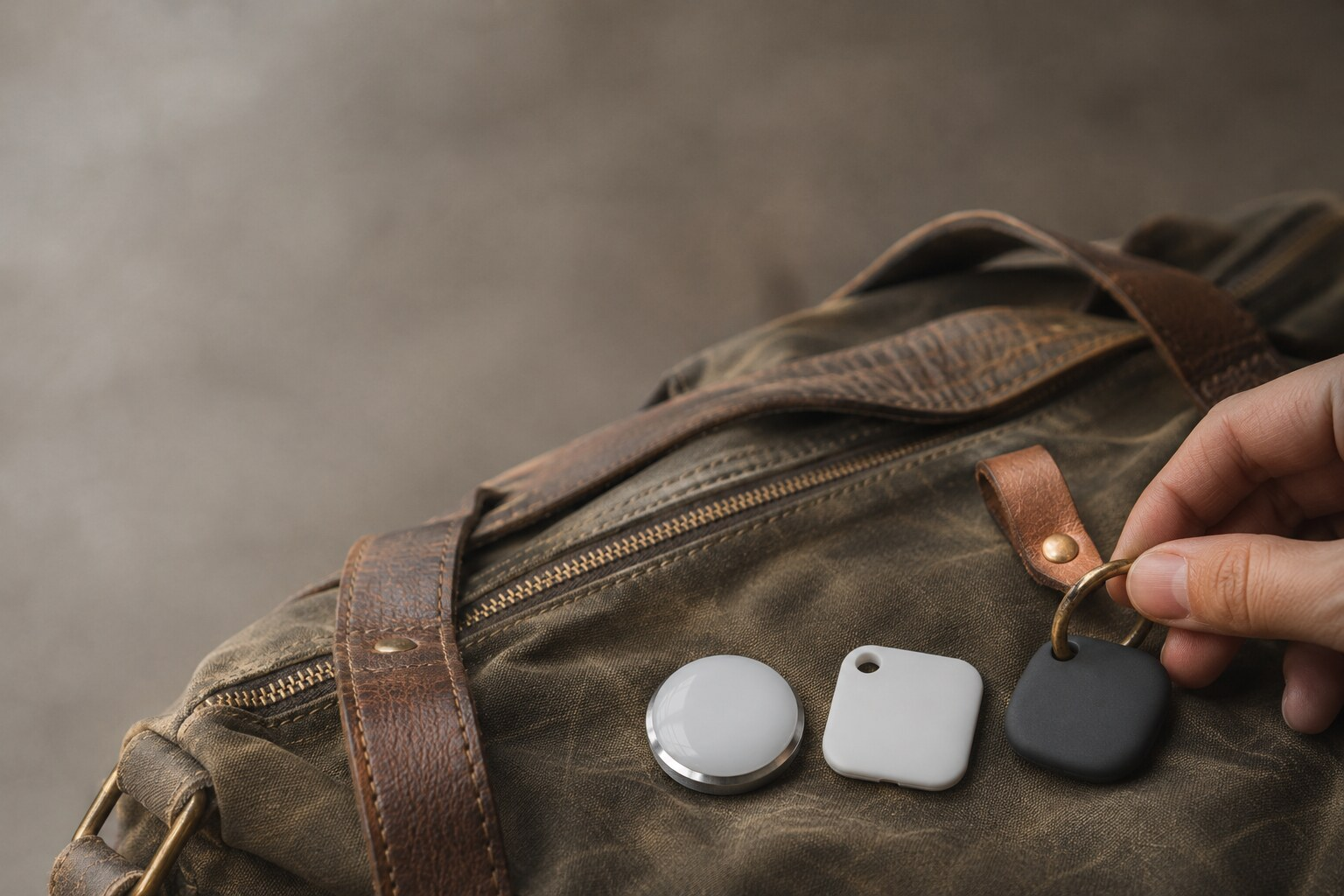
Quick answer: Apple AirTag (2nd generation) is the best pick for households where everyone uses a compatible iPhone. Galaxy SmartTag3 fits compatible Galaxy phones, and Tile fits mixed iPhone and Android households. Check phone compatibility first, then compare nearby precision finding, the battery and the finding network.
| Tracker | Maker | Phone compatibility | Finding network | Precision finding | Battery and stated life | Water resistance | Published price | Subscription |
|---|---|---|---|---|---|---|---|---|
| AirTag (2nd generation) | Apple | iPhone with iOS 26.0 or later | Apple Find My network | Yes, second-generation UWB chip. Expanded Precision Finding needs iPhone Air or iPhone 15 or later, excluding iPhone 16e and iPhone 17e | User-replaceable CR2032; more than a year | IP67; 1 m for up to 30 minutes | $29 single; $99 four-pack | None stated |
| Galaxy SmartTag3 | Samsung | Compatible Galaxy devices; iPhone with iOS 17 or later, with three finding features unavailable. Samsung Account and SmartThings app required | Offline finding through nearby Galaxy devices in SmartThings Find | Compass View on Galaxy devices with Android 12 or later that support UWB or Bluetooth Channel Sounding | In-box CR2032; up to 550 days (790 in Power Saving Mode) | IP67; 1 m for up to 30 minutes | $29.99 single; $99.99 four-pack | None stated |
| Tile Pro (2024, model T1701) | Tile by Life360 | Tile app on iOS 16.0 or later; Android 9.0 or later | Tile Network; Notify When Found | Not published | Replaceable CR2032; up to 1 year | IP68 | Optional US plans: Premium $2.99/month or $29.99/year; Premium Protect $99.99/year | |
| Tile (base model) | Tile by Life360 | Tile app on iOS 16.0 or later; Android 9.0 or later | Tile Network; Notify When Found | Not published | Not published | Optional US plans: Premium $2.99/month or $29.99/year; Premium Protect $99.99/year |
iPhone-Only Households: Start With AirTag
Apple AirTag (2nd generation) is the best place to start if every phone in your home is a supported iPhone. Setup and Find My require iOS 26.0 or later, so check your software before you buy.
Once the tag is out of Bluetooth range, it reports through Apple’s Find My network. Up close, its second-generation Ultra Wideband chip powers Precision Finding, which guides you to the tag on supported iPhones.
Strengths
- Find My puts your AirTags in the same app you already use for Apple devices.
- When the battery dies, you swap the coin cell instead of replacing the tag.
Limitations
- Android phones can’t set up an AirTag or use Find My.
- Expanded Precision Finding needs iPhone Air or iPhone 15 or later, excluding iPhone 16e and iPhone 17e.
An Android phone that receives an AirTag alert still can’t control that AirTag. Safety alerts and everyday item finding are separate jobs.
Android-Only Households: Check Your Phone Brand
If you carry a compatible Galaxy phone, check the Samsung Galaxy SmartTag3 first. It also works with iPhones on iOS 17 or later, but without three of its finding features.
You need a Samsung Account and the SmartThings app. When the tag is out of range, Samsung’s offline finding uses nearby Galaxy devices to report its location.
Strengths
- Compass View guides you to the tag on qualifying Galaxy devices running Android 12 or later.
- Seven days of location history shows where an item has been recently.
- Samsung rates the in-box CR2032 at up to 550 days under standard use, or 790 days in Power Saving Mode.
Limitations
- Samsung lists compatible Galaxy devices, so an Android version number alone doesn’t guarantee support.
- Compass View, Ring Phone and Left Behind Alert don’t work on iOS.
If you use a Pixel or another non-Galaxy Android phone, Tile is the option here with published support. Check your exact handset and operating system rather than assuming every Android phone works the same way.
Mixed Households: Tile Covers Both Platforms
Tile by Life360 works on iPhone and Android through the Tile app. For a mixed household, that is the clearest reason to pick Tile in the Tile vs AirTag decision.
Life360 sells Tile, Tile Pro, Tile Slim and Tile Sticker. This comparison covers Tile Pro (the 2024 model, T1701) and the base Tile. Tile Pro’s specs don’t carry over to the base model.
Strengths
- The app runs on iOS 16.0 or later and Android 9.0 or later, according to Life360.
- Tile Pro has published range, ring volume, battery and water-resistance figures, so you can compare it with the other tags.
Limitations
- Life360’s model specs list no direction-finding feature for Tile Pro.
Shared app support doesn’t mean shared control. Before you tag the family car keys, decide who owns the tag and who gets access.
Where Tag Buyers Get Caught Out
Compatibility is the first trap. An app that supports your phone doesn’t guarantee every feature works on it. SmartTag3 on an iPhone, for example, loses Compass View, Ring Phone and Left Behind Alert.
Location gaps come next. A lost tag only updates when a participating phone passes close enough to detect it. Walls, bags and car bodies also cut Bluetooth range, so a published maximum is a spec, not a search radius.
That makes a Bluetooth tag a tool for finding lost items, not for getting stolen ones back. In rural areas, inside a metal shipping container or in a vehicle with no participating phone nearby, the tag stays silent until one comes within range.
Shared keys and luggage add another gap. Apple lets you share an AirTag with up to five other people in Find My. Set up sharing before a trip, not at the baggage desk.
Use the current model’s documentation instead of older reviews of similarly named tags, and decide who will act on an alert.
How Finding Networks Locate Your Belongings
All three tags use Bluetooth for nearby finding, plus a crowdsourced Bluetooth finding network for items beyond your phone’s reach. These are two different jobs, and a tag that does one well won’t necessarily do the other well.
Nearby finding uses your phone’s connection
When the tag is close, Bluetooth handles the connection. A ring lets you search by sound, and supported precision-finding hardware points you in the right direction.
Ultra Wideband, or UWB, is a short-range radio technology built for precise nearby measurement. AirTag uses it for Precision Finding, and Samsung runs Compass View on supported UWB or Bluetooth Channel Sounding hardware.
Tile Pro publishes a ring volume and a maximum Bluetooth range. Those numbers tell you how loud and how far, not which direction. A louder ring isn’t a direction-and-distance feature.
Finding networks depend on nearby participating phones
Apple uses Find My, Samsung uses nearby Galaxy devices through SmartThings Find, and Tile uses the Tile Network. Each crowdsourced network reports a sighting when a participating phone detects your tag.
For luggage, the Tile vs AirTag choice comes down to your phone and the network reporting your bag. A recent sighting tells you where the bag was, not where it is now.
This comparison doesn’t name a fastest network, because coverage depends on how many participating phones pass your item where you lose it. The Bluetooth tracker vs GPS tracker comparison explains how these sightings differ from a GPS tracker’s location reports.
Batteries, Water Ratings and Ownership Costs
AirTag uses a user-replaceable CR2032 that Apple rates at more than a year, though Apple notes life varies with use. Tile Pro also takes a replaceable CR2032, rated for up to one year.
Samsung rates the SmartTag3’s in-box CR2032 at up to 550 days under standard use.
AirTag and Galaxy SmartTag3 both carry IP67 ratings, good for 1 meter for up to 30 minutes. Apple says resistance can decrease with normal wear, and Samsung advises against beach or pool use.
Life360’s support specs rate Tile Pro at IP68.
The Apple and Samsung prices in the table are list prices, without retailer discounts or promotions. For Tile hardware, check Life360’s site for current pricing.
Tile’s optional US plans are a separate cost. Life360 lists Premium at $2.99 a month or $29.99 a year, and Premium Protect at $99.99 a year.
Apple and Samsung don’t list a subscription for either of their tags. Price the hardware and the plans separately, and confirm which paid features you need before you subscribe.
What Unwanted-Tracking Alerts Actually Tell You
Finding your own lost item and spotting someone else’s tracker traveling with you are different functions. Supporting one doesn’t mean a tag or phone supports the other.
Apple says an iPhone or Android phone will alert you when an unknown AirTag is traveling with you. If it stays with you, the AirTag starts playing a sound.
Anyone can run Tile’s Scan and Secure on iOS or Android without a Tile account. You have to keep moving during the scan, which takes up to 10 minutes.
Tile’s Anti-Theft Mode hides an owner’s Tiles from Scan and Secure. To turn it on, the owner must be at least 18, upload a government ID and complete a selfie scan.
So an empty Scan and Secure result doesn’t prove there’s no Tile nearby. A tag in Anti-Theft Mode won’t show up.
Samsung’s SmartTag3 product page and US announcement don’t mention unwanted-tracking protection. This comparison doesn’t credit the tag with an anti-stalking feature that Samsung doesn’t publish for it.
When a Bluetooth Tag Is the Wrong Tool
Skip the Bluetooth tag if you need location reports that don’t wait for a stranger’s phone to pass by. Vehicles, remote equipment and moving assets usually fall in that group. A cellular GPS tracker works out its own position by satellite and sends it over a mobile network, and most need a paid data plan.
Read AirTag vs GPS tracker before you buy hardware for those jobs.
Pick the Tag Your Phones Fully Support
Match the tag to the phones people actually carry, not the brand you like best:
- Every phone is a supported iPhone: AirTag (2nd generation).
- Every phone is a compatible Galaxy: Galaxy SmartTag3.
- A mix of iPhone and Android, or a non-Galaxy Android phone: Tile.
Before you order, confirm your exact phone models, the finding features you need and your battery preference. If your household has unsupported phones or needs a different attachment style, check our AirTag alternatives roundup.
Frequently Asked Questions (FAQs)
Is Tile or AirTag better for iPhone and Android users?+
AirTag is the better fit when every phone is an iPhone running iOS 26.0 or later, because setup and Find My need it. Tile is the better fit for mixed households, since its app works on iOS 16.0 or later and Android 9.0 or later. After that, compare precision finding, battery specs and the finding network.
Does Galaxy SmartTag3 work with an iPhone?+
Yes, on iOS 17 or later, with a Samsung Account and the SmartThings app. Compass View, Ring Phone and Left Behind Alert aren’t available on iOS, so an iPhone gets fewer features than a compatible Galaxy phone.
Which iPhones support expanded AirTag Precision Finding?+
Expanded Precision Finding works with iPhone Air or iPhone 15 or later, excluding iPhone 16e and iPhone 17e. Setup and Find My also require iOS 26.0 or later, so check both the model and the installed software.
Do AirTag, Tile, or Galaxy SmartTag3 require a monthly subscription?+
No. Apple and Samsung list no subscription for their tags. Tile’s US plans are optional: Premium costs $2.99 a month or $29.99 a year, and Premium Protect costs $99.99 a year. For hardware, AirTag lists at $29 for one or $99 for a four-pack, and Galaxy SmartTag3 at $29.99 or $99.99.
Do AirTag and Tile track checked luggage in real time?+
No. Beyond your own Bluetooth range, a tag only updates when another participating phone detects it. A reported location also won’t get your bag back.
Can iPhone and Android detect unwanted AirTag, Tile, or SmartTag3 trackers?+
For AirTag, yes: Apple says iPhone and Android phones alert you to an unknown AirTag traveling with you, and the tag later plays a sound. For Tile, anyone can run Scan and Secure on iOS or Android, though Anti-Theft Mode hides enrolled Tiles from it. Samsung’s SmartTag3 product page and US announcement publish no unwanted-tracking statement.